Time Your Sheet

A VS Code extension that keeps a flextime balance from the Markdown note you already write in all day.

You're assumed to be working during work hours, so you only log the exceptions: stepping out, coming back, starting early, staying late. The extension reads those lines and keeps a running debt or advance in the status bar. A normal day needs no lines at all.

#### 2026-10-02
- [x] review PR #482
14:54:09 out
15:32:04 in
18:05:12 out
adjust -30m slow afternoon

Your note stays the database: no server, no account, no separate file. One shortcut toggles in and out.

Download the .vsix View on GitHub

Free. VS Code 1.75 or newer. Install it from the Extensions view: … menu → Install from VSIX…
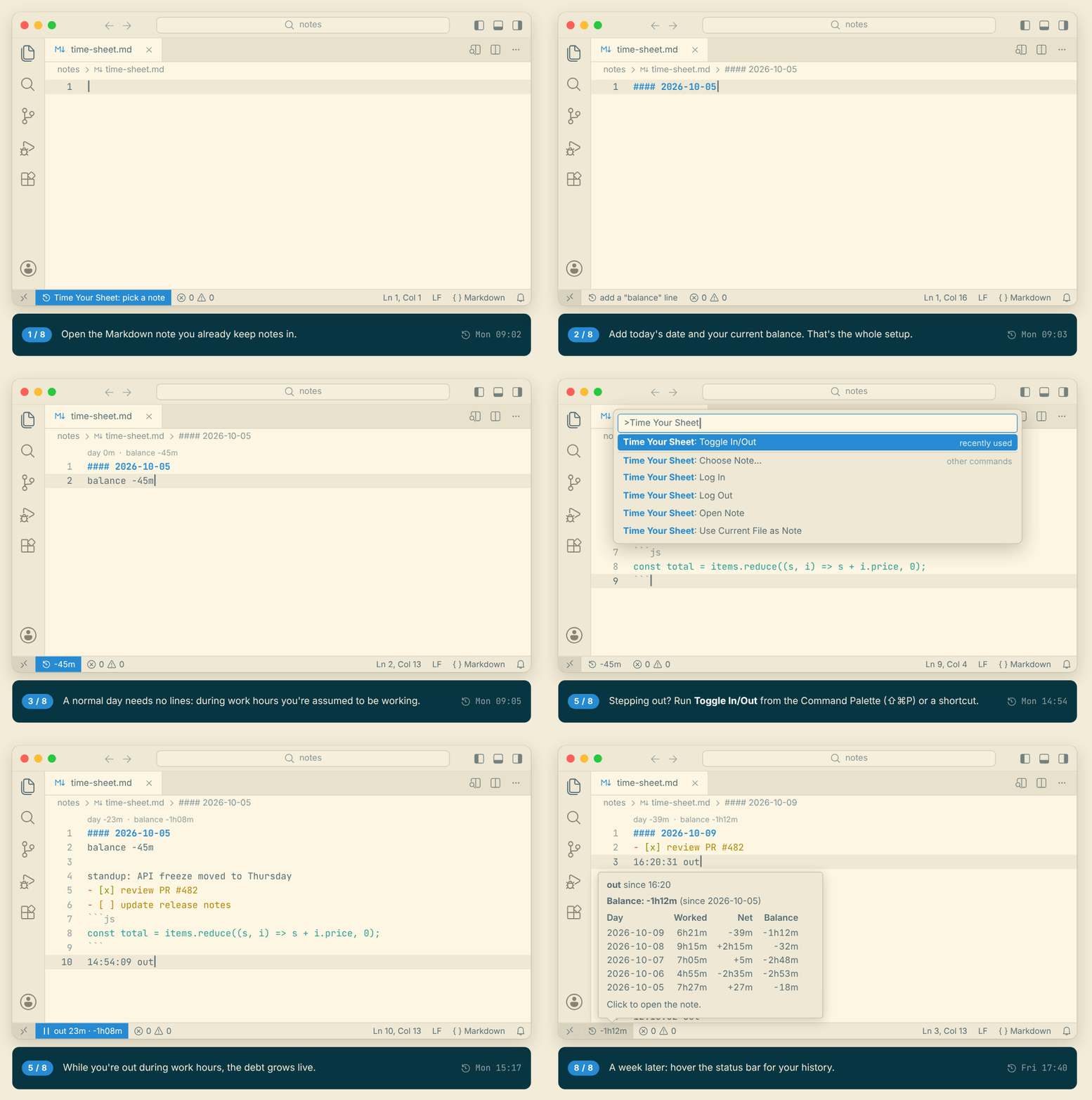
See it in action

A short tour: choosing the note, adding the date and balance, writing ordinary notes, to-dos and a code snippet in it, stepping out while the debt counts up live, coming back, staying late, and the week's history on hover

What it looks like

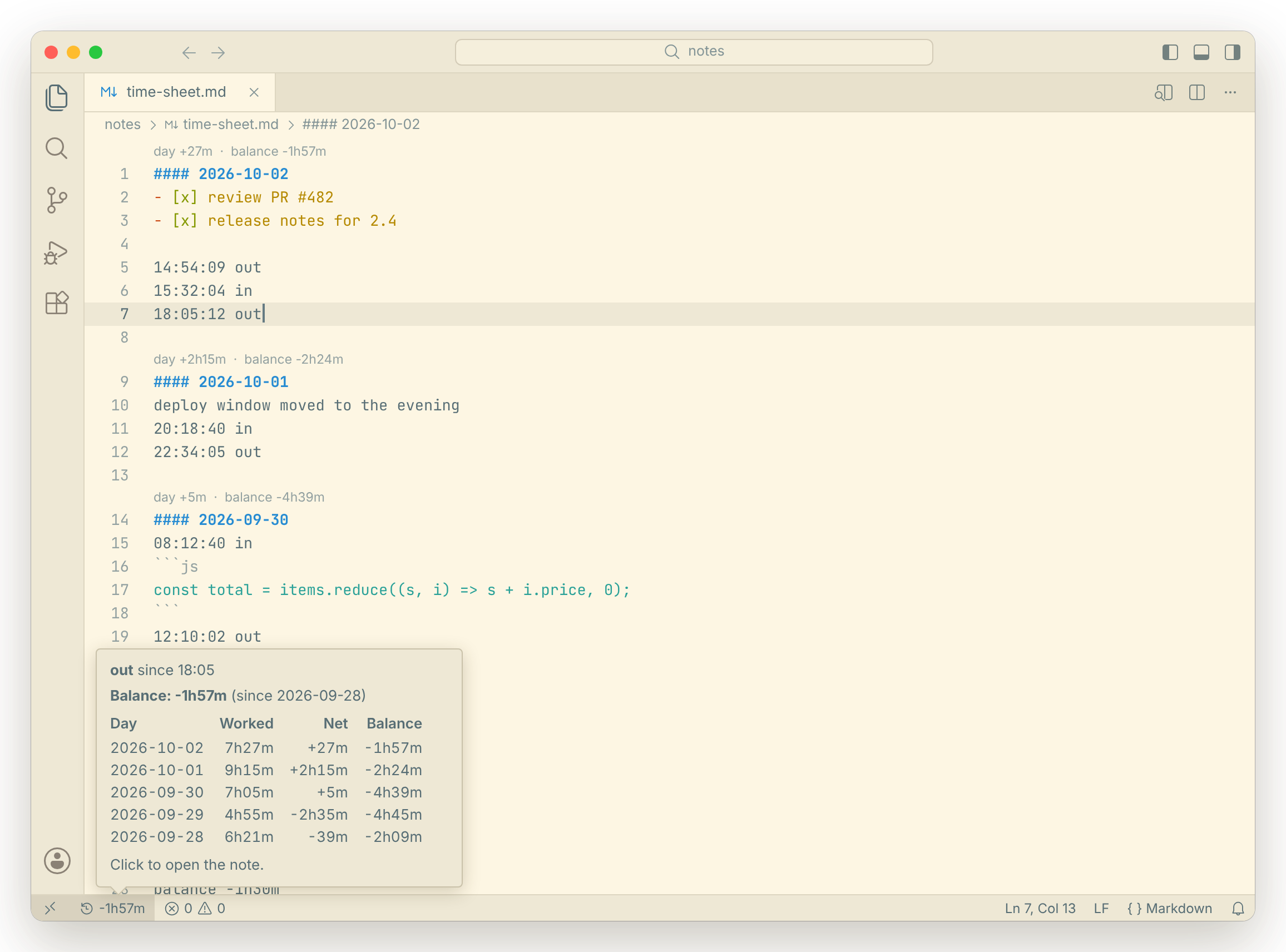
The note in VS Code with a one-line summary above each day, and the status bar hover showing the balance and a table of the last five days
Hover the status bar for the last few days. Each day gets a summary line.
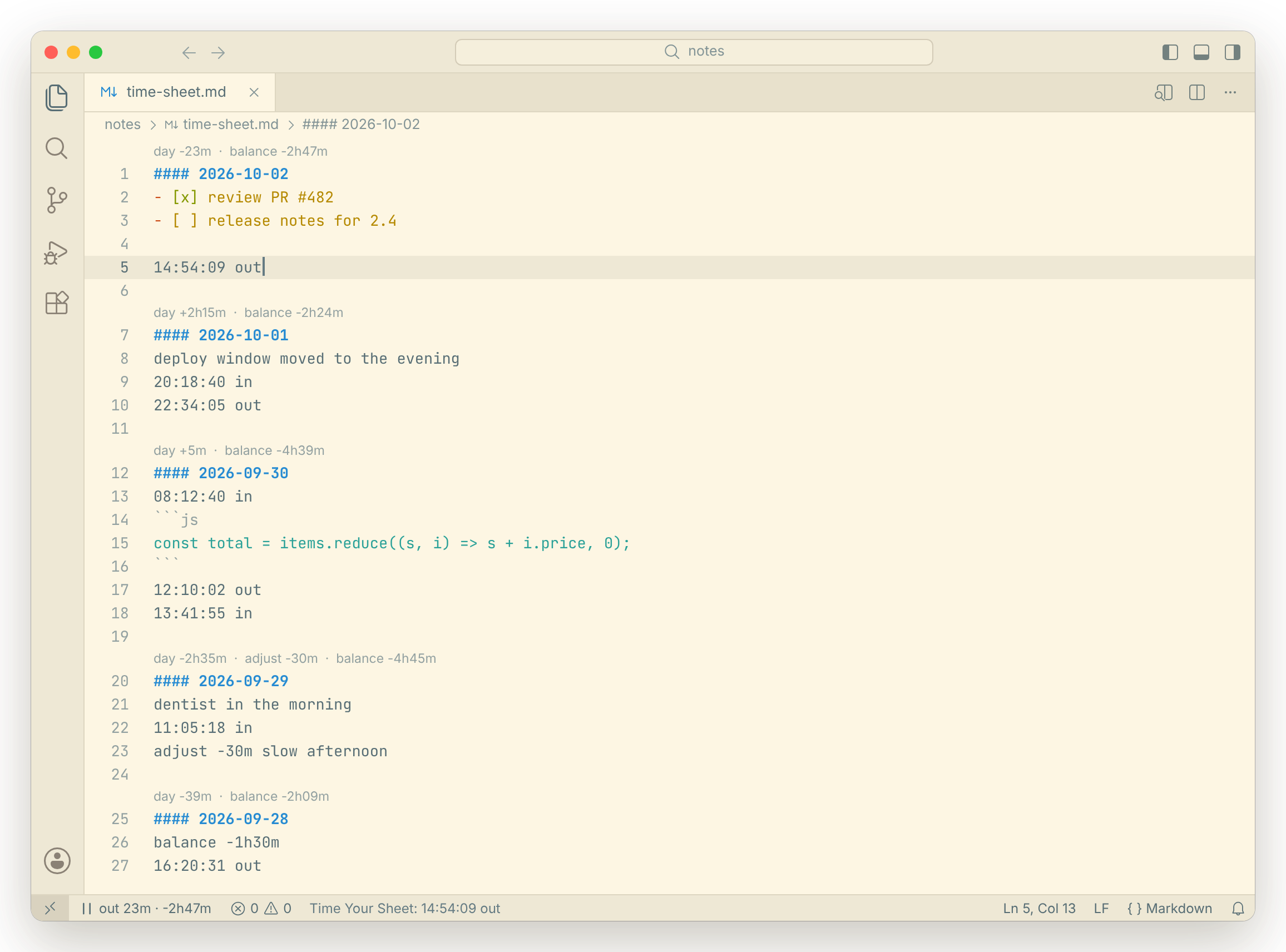
Just logged 14:54:09 out; the status bar shows out 23m and the balance growing live
While you're out during work hours, the debt grows live.
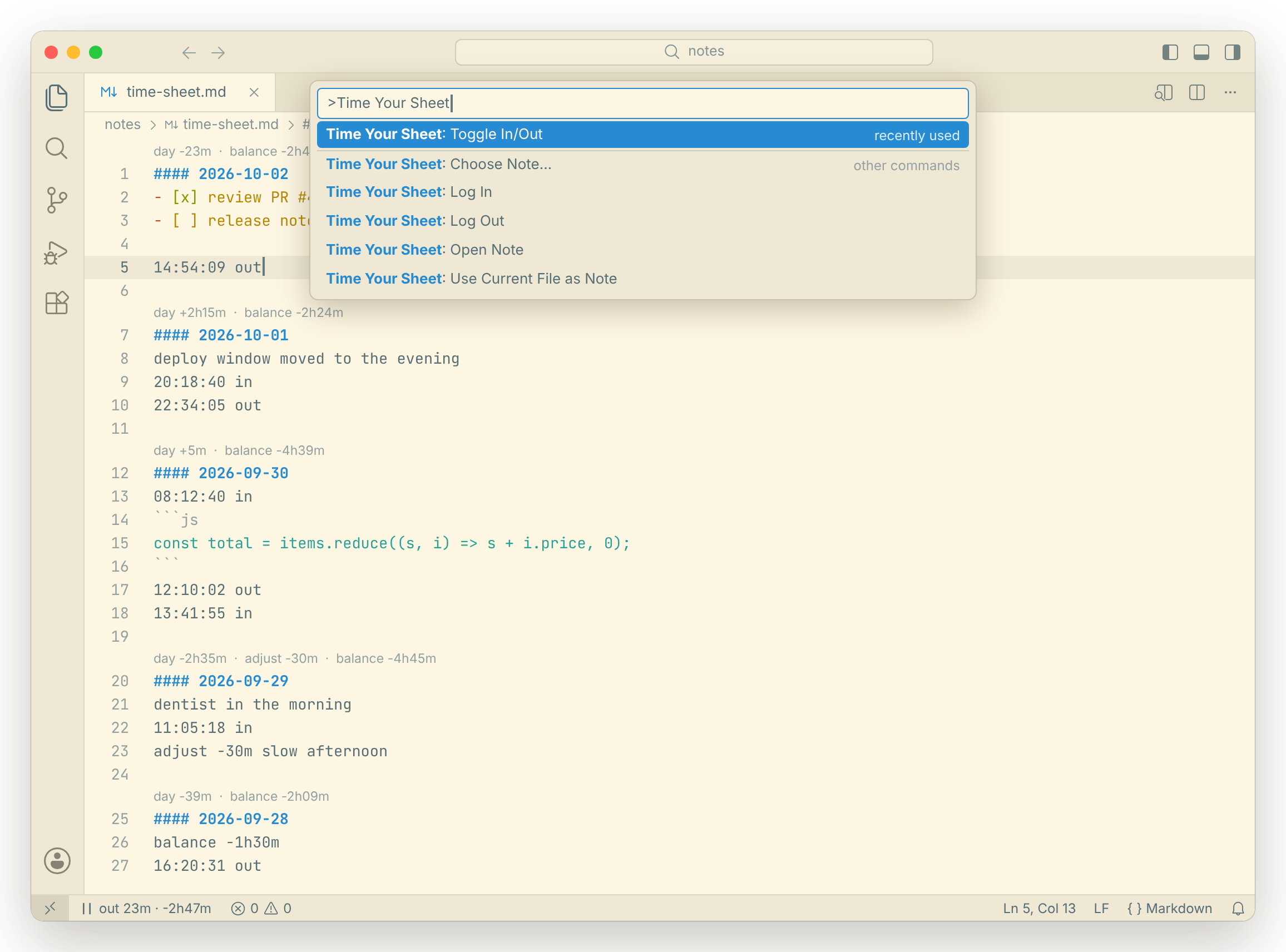
The command palette filtered to Time Your Sheet: Toggle In/Out, Log In, Log Out, Open Note, Choose Note, Use Current File as Note
Toggle from the command palette, or bind it to a key.

Scroll sideways for more. Click any shot to see it full size. Screenshots use example data.